
Before AI started writing the workflow for you
Around 2012 I was at Nintex, working on a workflow product that sat on top of SharePoint and was moving toward the cloud. The basic idea was to let people automate business processes without writing code. Approval chains, notifications, document routing, the usual set of things organisations already did by email and spreadsheets.
The hard part was not the automation itself. It was making the process legible enough that someone who understood the work could actually build it. SharePoint workflows could get complicated quickly. Steps branched, conditions multiplied, and the difference between a useful automation and something that quietly broke later was usually in the details. Most of the design work was about reducing that complexity without hiding the decisions that still needed to be made.
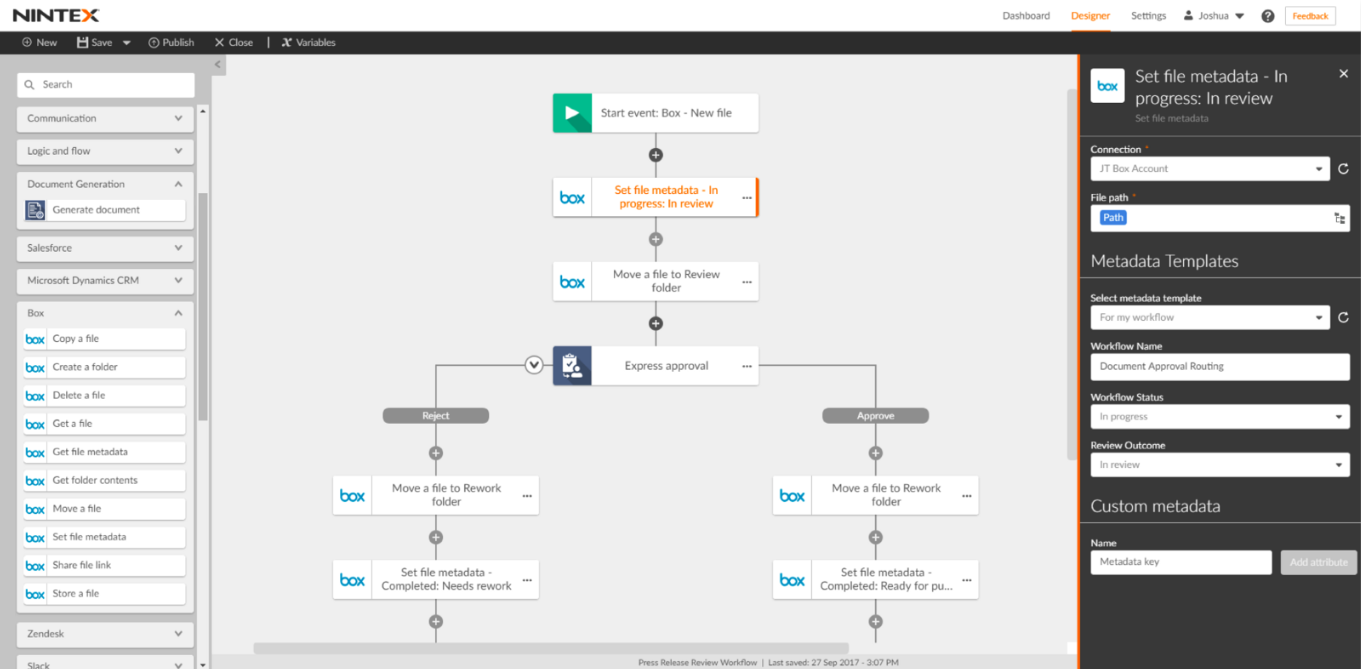
We spent a lot of time on how the steps appeared, how conditions were expressed, and what happened when something did not go as expected. The goal was that a person who knew the business process could see the flow, understand the choices, and change it without needing a developer for every adjustment. That required some understanding of how the process actually worked. You could not treat the automation as a black box and still expect it to stay reliable.
Looking at it now, a lot of what we were doing by hand has become easier to generate. AI tools can suggest workflows, fill in steps, and produce something that looks finished much faster. The speed is useful. What has not changed is the need to know what the process is supposed to do, where it can fail, and who is affected when it does. In 2012 that knowledge had to be deliberate because the tools did not fill the gaps for you. It is still worth keeping, even when the first version arrives in seconds.

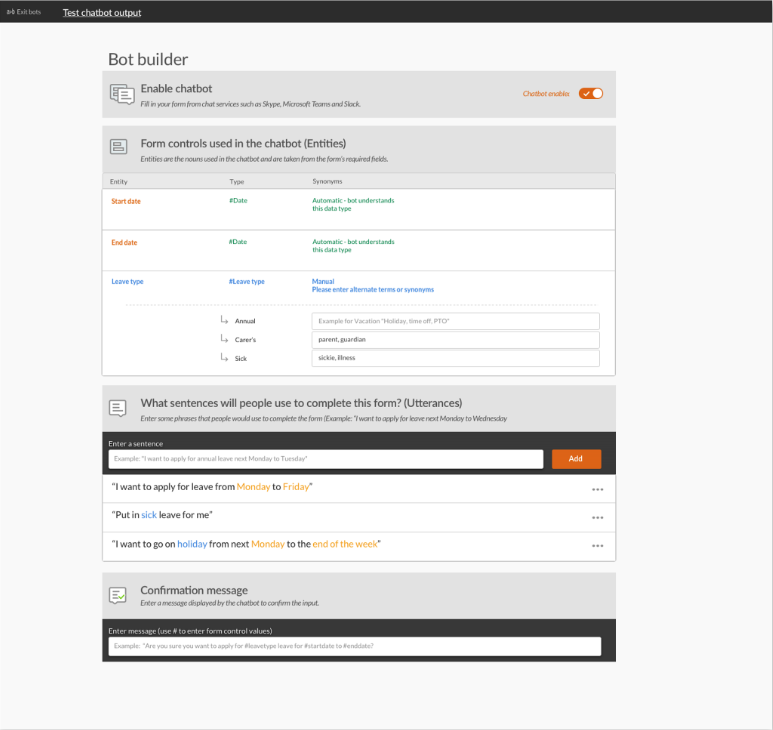
I still have some of the early screens. They look a bit earnest now, full of arrows and carefully labelled steps, like we were trying very hard to make sure nobody got lost. The interfaces have settled since then. The problem of people getting lost has not entirely gone away.